Research

Combo Pool: simple, amazingly addictive browser game

Combo Pool is simple and great fun: use the arrows to aim your ball, and hit c to fire it.
It’s a game where you throw colored marbles against each other. If two marbles of the same color make contact, they merge and upgrade to the next color. Your lifebar diminish with the number of balls on the field. If you lifebar is empty, you enter in a sudden death mode, and your last ball must save you by removing some balls.
Controls : use arrows left-right to adjust direction, and key "c" to launch a ball. Click on the game to give it focus if buttons doesnt work.
It’s made with Pico 8, a "fantasy console" that enforces strict technical limitations on what your games can do. The result is a growing library of perfectly-designed, disciplined 8-bit style game projects. They’re often tantalizing suggestions of how good the video games of an 80s childhood should have been, but weren’t.
You can cheat by only ever firing straight up, but even then you can get in trouble because of the number of balls that form on the axis. Other suggestions for refining the game: allow players to hold the button to determine how powerful a shot to release, and have a button to hold that allows more refined angles.
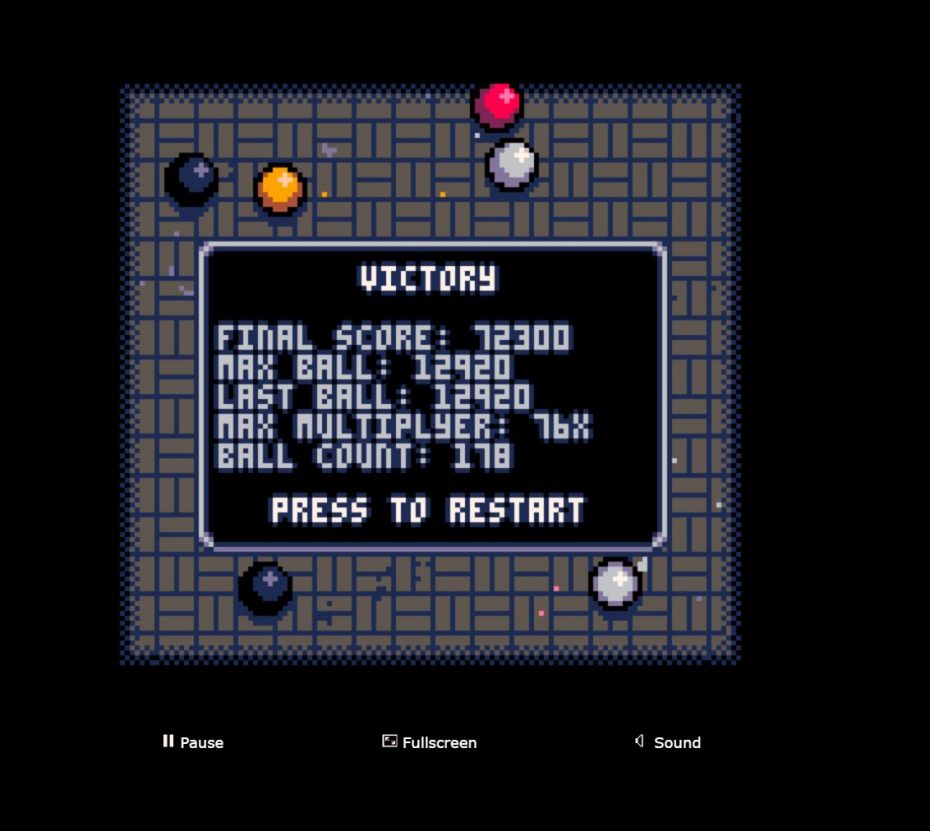
Here’s my best score:
from Boing Boing
HX-01: a feature-length journey in psychedelic space

HX-01 is an animated full-length film on the verge of hitting its modest $6k crowdfunding goal. Its landscape of psychedelic geometric video graphics are just my cup of acid; check out the trailer and see if it’s yours, too.
Hi, my name is hexeosis. For a little over three years now, I’ve been creating and posting animated GIFs on the internet. I’ve been unreasonably lucky to have connected with thousands and thousands of fans from all over the world. Crazy, but awesome!
I’m launching this Kickstarter campaign to help fund the production of a full length, full color, full HD sized animated short film.
PREVIOUSLY: Xeni blogged about creator Hexeosis in 2014 when they were first getting us high on Tumblr.
from Boing Boing
[NL] – A Hotel Safety Checklist for World Travelers From a Former CIA Operative

No matter where you travel, you want your hotel room to be a place you can take a load off and relax. It’s hard to do that, however, if you don’t feel comfortable and safe. This hotel safety checklist from a former CIA operative can help.
Drew Dwyer, a Marine veteran and former CIA operative, has seen his fair share of travel around the world—including some not-so-safe places for travelers. If you plan on seeing all of the world and want to stay safe, Dwyer shares his personal hotel safety checklist at SOFREP.com:
- Acquire or make a copy of the fire escape plan on the back of your door. Most of these just slide out.
- Do not stay on the ground or the top floor. The ground floor is readily accessible to intruders and the top floor does not allow any room to maneuver. The first or second (European) floors allow access for most third world country emergency vehicles.
- Keep the “Do Not Disturb” sign on the door, even when you are not there.
- Always assume the room is bugged. Keep the radio or TV turned on with the volume on low at all times — even when you are not in the room.
- Keep the drapes/blinds pulled at all times, even when unoccupied.
- Keep a light on in the room when unoccupied.
- Keep a small “bug-out bag” packed with must-have items (money, ID, passport, etc.) in the event of an emergency departure.
- Carry a motion alarm that can be placed over the doorknob. They are about $20 and can be found in most electronics stores.
- Keep a flashlight next to the bed and within arm’s reach.
Some of this might seem like overkill for most travelers (especially the bugging bit), but it’s good information to know just in case. You can find more great world travel safety tips at the link below.
http://lifehacker.com/three-tips-for…
The CIA Operative’s Guide to Safe Travel | SOFREP via Entrepreneur
Photo by McKay Savage.
from Lifehacker http://lifehacker.com/a-hotel-safety-checklist-for-world-travelers-from-a-for-1769493438
via IFTTT
Dixie Chicken: 1941

August 1941. "Feast of Farm Security Administration ‘Food for Defense’ chickens for the Craig Field flying cadets’ Sunday dinner. Southeastern Air Training Center, Selma, Alabama." Medium format negative by John Collier. View full size.
from Shorpy Historic Picture Archive – Old Photos & Fine Art Prints
This Formula Tells You If Your Flight Is a Good Deal

Flights are getting cheaper this year, but prices vary depending on your destination. To figure out whether a flight is actually a good deal, Luiz Maykot, a data science analyst for Adobe, came up with a simple formula.
The formula is pretty straightforward: multiply the trip’s round-trip miles by $0.032, then add $230.
As MarketWatch explains, if you’re flying between NYC and LA, that’s 5,640 miles total. Plug that into the formula, and you get $410.48, which means anything below $410 (taxes and fees included) is a pretty good deal. For international flights, multiply the round-trip miles by $.08 and then add $200.
Maykot explains how he came up with the formula:
I calculated the average price paid by everyone in the data sample, based on how many days in advance they purchased their tickets (up to 300 days in advance). Then, I divided the average price for each day by the overall average price and did this across thousands and thousands of flights. I was left with a weighted average of the final curve.
Put simply, the number you crunch gives you a general idea of what the majority of flight prices have been in recent years. MarketWatch explains the formula in a little more detail and also includes a calculator to help you do the math, so check out the full post at the link below.
2016 Travel Report: The Story Behind the Numbers | Adobe via MarketWatch
Photo by rch850.
from Lifehacker
This All-In-One System Rescue Toolkit Has Just the Right Tools to Troubleshoot Your PC
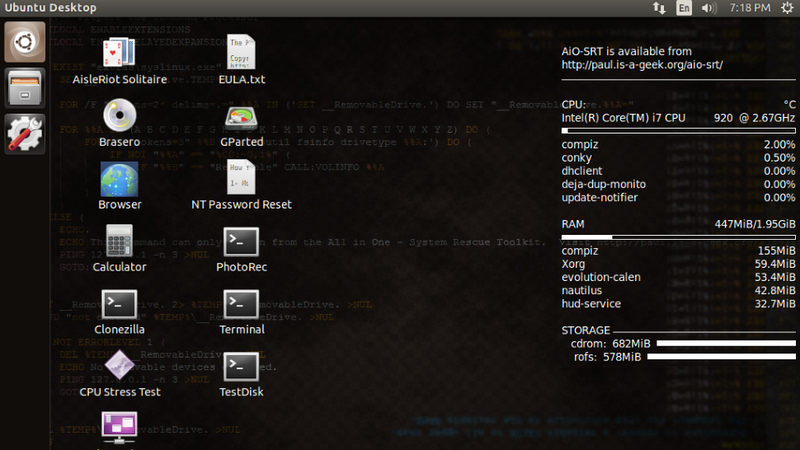
There’s no shortage of system rescue and repair discs you can download and keep handy for when your PC gives you problems, but this one, from reader Paul, is streamlined, simple, and has only a few effective tools on it (and no bloat!)
http://lifehacker.com/5984707/five-b…
Paul, who’s a field technician (I remember those days!) sent in his rescue disc to us and explained that he’d just made it available to the public on his web site. Over at his site, he explains why he bothered in a world where there are so many discs to choose from:
There are already so many utility discs out there, I know. Many of the other discs I have used in the past tried to do way more than I wanted, with sometimes 10-20 different applications and utilities that all do the same thing. This overwhelming level of choice does not easily support the faster pace required of field service work. I also wanted to have both my bootable repair environment and Windows utilities in the same package to reduce the number of discs I had to maintain and keep on hand.
This disc started as a bunch of batch files that allowed me to work on multiple computers throughout my day and replicate the same level of quality results on each computer without having to maintain checklists on paper. Even with checklists, I would sometimes skip or miss steps that meant a variety of results when fixing PCs. Thus, an automated utility was born! I have since been using this disc in my own line of work for 99% of the problems I encounter in the field.
Just because the disc is streamlined doesn’t mean there’s a shortage of tools on it, though. You’ll have to head over to his site for the full list (and to support the project!) and for download links to burn your own or make your own bootable USB drive with all of the utilities on it. There are a few standouts though—the disc is a live CD, so you can boot to it and run things like Clonezilla, GParted, NT Password Reset, PhotoRec, Terminal, and some other utilities (even a game of solitaire you can play while waiting for other stuff to finish!)
The Windows Autorun portion of the disc contains a ton of Windows diagnostics for testing, troubleshooting, and repairing bad Windows installs or partition issues, tools to extract or re-add product keys, network testing tools and speed tests, and even some security and malware removal tools. All in all, if you have a Windows PC—especially one you built yourself—or you’re in charge of maintaining others, the disc is worth a look.
All in One – System Rescue Toolkit | Paul Bryand Vreeland
from Lifehacker
Beer Can Cabbage Is the Ultimate Grilled Vegetable

Beer can chicken is a grilling season staple, but now there’s a new beer-steamed entree in town, and it is the hearty cabbage. Sure, it’s a great option for your veggie friends, but it’s also just a really tasty way to cook cabbage.
Cabbage has no natural cavity (obviously), so you’ll have to carve one out yourself. Just cut out a hole large enough for a can of beer to fit halfway inside, scooping out the core with a spoon. Brush some oil on the cabbage, and season the whole thing with salt and pepper. Next, grab a can of beer and drink half of it. Shove the can inside your hollowed-out cruciferous, coat the cabbage with BBQ sauce, and set it upright on the grill. Cook for about 45 minutes, brushing with more tasty sauce every 15 or so, until the out leaves are browned.
Remove cabbage from grill and relieve it of its beer can throne. Slice into strips, and place on kaiser rolls with fresh carrots and grilled onion for super tasty sandwiches that will be enjoyed by pretty much anyone, vegetarian or not.
Meet Beer-Can Cabbage, the Ultimate Vegetarian BBQ Main Course | Epicurious
Photo by Chelsea Kyle, prop styling by Alex Brannian, food styling by Dawn Perry.
from Lifehacker
Generate your own random fantasy maps
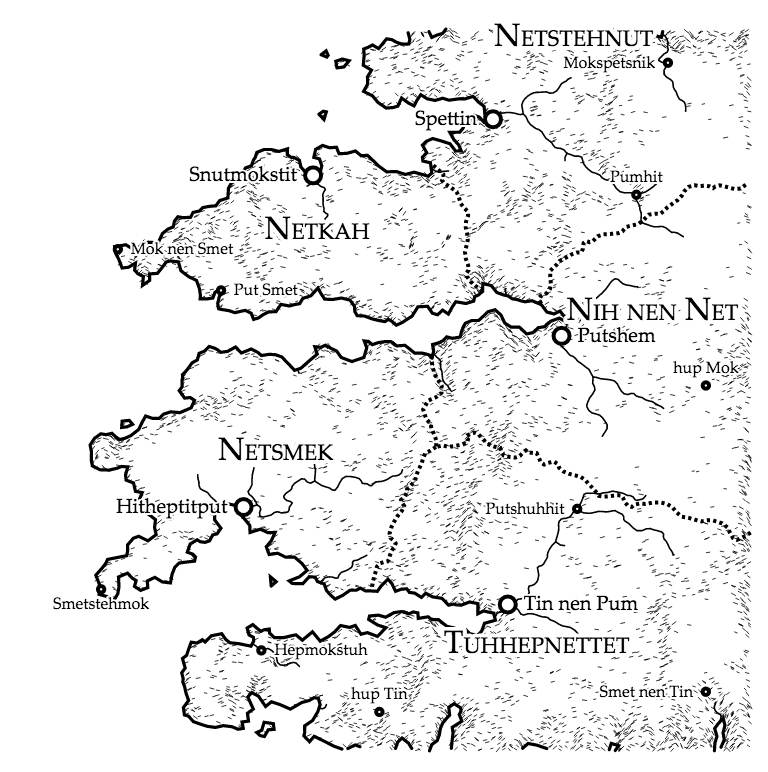
Martin O’Leary not only made a cool fantasy map generator, he’s giving away the source code and has described the process at a high enough level for an idiot like me to partly understand how it works.
I wanted to make maps that look like something you’d find at the back of one of the cheap paperback fantasy novels of my youth. I always had a fascination with these imagined worlds, which were often much more interesting than whatever luke-warm sub-Tolkien tale they were attached to.
At the same time, I wanted to play with terrain generation with a physical basis. There are loads of articles on the internet which describe terrain generation, and they almost all use some variation on a fractal noise approach, either directly (by adding layers of noise functions), or indirectly (e.g. through midpoint displacement). These methods produce lots of fine detail, but the large-scale structure always looks a bit off. Features are attached in random ways, with no thought to the processes which form landscapes. I wanted to try something a little bit different.
It’s an odd feeling to look at these instantly-generated, detailed maps and realize that they represent nothing. I feel like I’m being wasteful pressing the "Generate high resolution map." The Uncharted Atlas is a twitterbot that posts a new map every hour.
from Boing Boing
The Bullet Journal, Minus the Hype, Is Actually a Really Good Planner
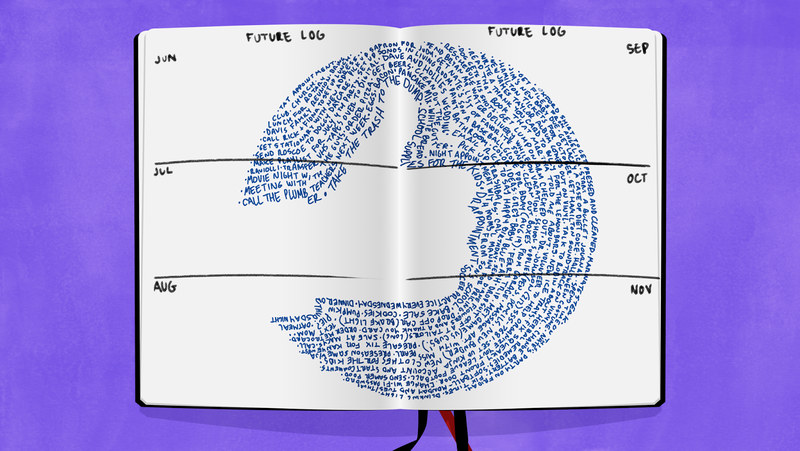
Look up #bulletjournal on the social media platform of your choice, and you can feast your eyes on a sea of neatly inked notebook pages designed to track everything from daily to-do lists to inspirational quotes. Go ahead, roll your eyes. But bullet journals are an amazing productivity tool, if you can learn to adapt them to your life. No colored pens required.
What Is a Bullet Journal?
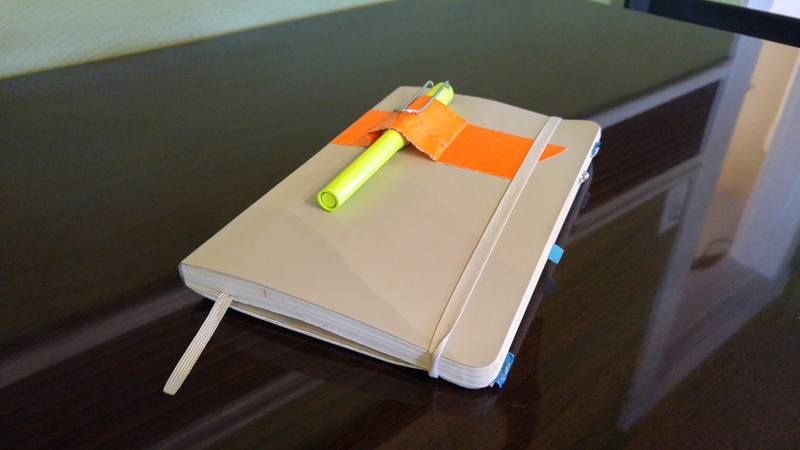
A bullet journal is just a notebook that accommodates a huge variety of planning schemes. You can create calendars and to-do lists, and you can also use it as a diary, a brainstorming notepad, and more. If you’ve ever bought a planner, but didn’t love the design of the pre-printed pages, the bullet journal is your opportunity to make a planner that fits the way your brain works.
The video that launched the bullet journal craze describes a set of conventions that many, but not all, bullet journalers stick to. You create an index to help you find things, a few pages that help you plan the year, and a two-page spread for important dates and tasks for each month. (Many bullet journalers also do a spread for each week.) Then, you write down each day’s plans and events in the form of bulleted lists—hence the name.
http://lifehacker.com/the-bullet-jou…
As described in that video, most of a bullet journal is just a calendar. The beauty of this hand-written calendar, though, is that you create it as you go, so you always have space for everything else you want to write. Future events go on a long term calendar that comes earlier in the book than today’s page, so every page from today to the end of the book is blank.
Why the Bullet Journal Works So Well
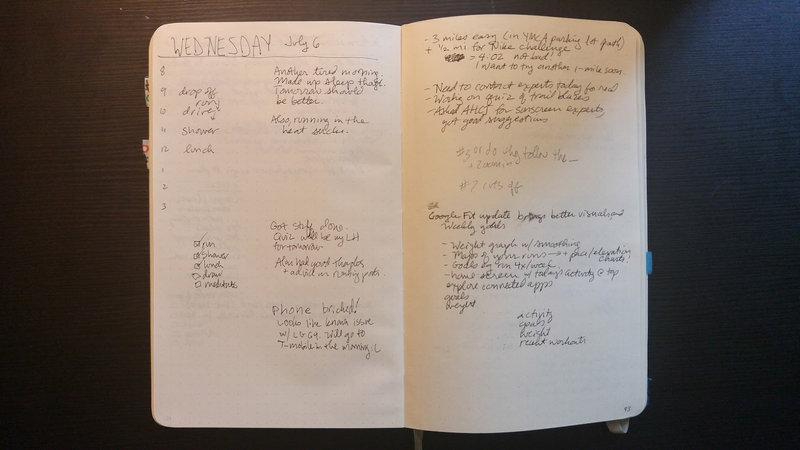
Here’s how that flexibility pays off. I wrote down my daily list of tasks this morning, and as I was working today, I flipped to the next blank page to brainstorm some ideas for this post. Later in the day, I used the blank page after that to start a checklist for a multi-part project that’s due later this month. Back when I used pre-printed planners, like the PlannerPad, I would have had to grab a second notebook, or a spare sheet of paper, to keep track of these things. The bullet journal approach keeps all my thoughts in one place.
The index ties everything together, so you can easily find those notes later. Just leave the first few pages of the notebook blank, and add topics and page numbers for anything you might want to find again. Yes, this may mean hand-numbering the pages, but that’s not a hassle. It only takes a minute to page through the bottom right corner of the notebook and write the odd numbers.
Adaptability is another perk to the system: each day doesn’t have to be the same. I plot out my day hour-by-hour if I have a lot of events and appointments that day, but if I just have a few things to get done, I’ll go back to a short bullet list instead.
Take What Works For You, and Forget the Rest
Bullet journalers have expanded this system in hundreds of ways. One popular add-on is a habit tracker, a grid where you can see how often this month you have meditated, or exercised, or flossed. You can also graph your progress toward saving money, make a list of books you want to read, or dedicate a page here and there to doodles.
For some people, making the journal beautiful is a hobby. These are the folks who post on Instagram that they’re relaxing with their journal and some colored pens for a little “me time” at the end of the day.
That’s not me. It doesn’t have to be you, either. I use a single, black pen. I don’t take more than about two minutes to set up my page for the day. I sometimes skip a day and don’t feel any guilt about it. And when I asked around, tons of bullet journalers told me that their books are “ugly” or “messy”. Sometimes that means that they’re trying to fill them with pretty art, and judging themselves harshly if they don’t like how it turns out. But many, like me, just have pages of scribbles. What matters is that the scribbles are where we need them, when we need them.
I don’t use the yearly calendar from the official instructions. I also forgot to make monthly pages for July and August. But thanks to my daily pages, and the lists and brain dumps I’ve scattered throughout the book, I know exactly what I need to work on today, what’s lingering from last week, and what article ideas I came up with over the last few months that I haven’t written yet.
Change the system enough, and some doubters say you aren’t really bullet journaling. If you collect thoughts and memories, maybe it’s really a journal or a commonplace book. If you don’t use the original video’s bullet system, maybe it’s just a DIY planner without a catchy name.
In the spirit of adaptability, I’m going to decree that it doesn’t matter what you call it—you should use the word that helps you the most. If you think of your book as a bullet journal, you’ll look for ideas among bullet journal blogs and communities. Right now, those are a happening place to find inspiration that works for me, so it’s the word I use. On the other hand, if you google “DIY planner”, the ideas that come up are a little bit different: more binders and printables, for example. Use any terms that help you find (and, optionally, share) the ideas you like.
You Don’t Have to Go Full Analog
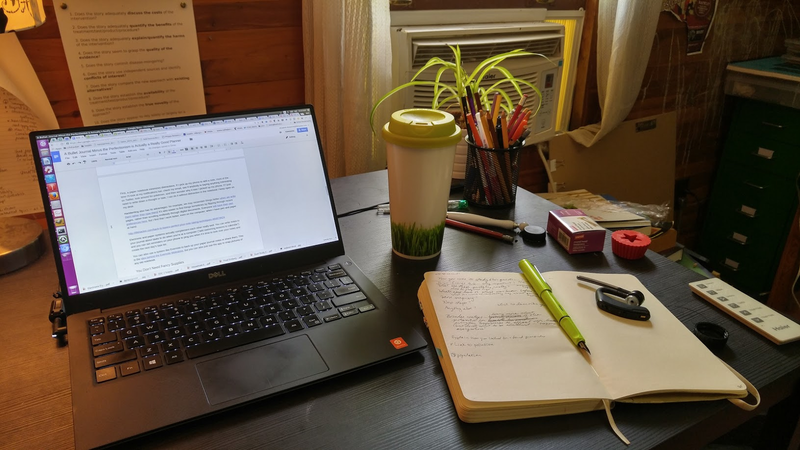
If you like keeping track of events and tasks in your phone, there’s no need to stop. In that case, you may wonder what the point of a physical notebook is. In fact, there are tons of reasons why I still swear by a paper journal.
http://lifehacker.com/how-to-use-a-s…
First, a paper notebook minimizes distractions. If I pick up my phone to add a note, most of the time I’ll look at my notifications bar, check my email, see if anybody is saying anything interesting on Twitter, look around for pokémon, and then wonder why it was I picked up my phone. If I just need to write down a thought or task, I can do it without distraction in the notebook I keep open on my desk.
Handwriting also has its advantages: for example, we may remember things better when we write them rather than type them. It’s also easier to find things sometimes by flipping through recent pages, rather than scrolling endlessly through digital documents. Everyone will have their own preferences here, but I find that I work better, even on the computer, when I have pen and paper at hand.
http://lifehacker.com/back-to-basics…
Electronic and paper systems actually complement each other really well. You can write notes in your journal about tasks to do when you’re at a computer (“add swimming lessons to calendar”) and you can set reminders on your phone to ping you when it’s time to look over your notes and create the next day’s task list.
You can also use a system like Evernote to back up your paper journal notes or share them. This is the idea behind the Evernote Moleskine, but you can also just use the app to snap pictures of any old notebook.
You Don’t Need Fancy Supplies
Bullet journalers have favorite supplies, which do come in handy but are absolutely not necessary. Here’s what they are, and some alternatives that don’t require you to blow your paycheck at the craft store:
- Moleskine and Leuchtturm 1917 notebooks are great for everyday use because they have durable covers and are easy to carry in a bag (thanks to their rubber band and back pocket for loose items). They also get points for being available in graph or dot grid paper, which lets you easily draw boxes and vertical lines. Both of these are $20+ notebooks, though. If you’re a notebook connoisseur, they’re worth it, but you could also just buy a hardcover composition book with graph paper for around $5.
- Fancy pens, like my Lamy fountain pen, are nice if you’re into that sort of thing. But any old pen will do. Just make sure that it plays nice with your notebook’s paper: if it bleeds through, or leaves deep imprints, the back of the page may become unusable.
- Colored pens are handy for color coding items in your journal (work versus personal, for example), but then you have to carry a box of pens around. You can bullet journal just fine with a single color of pen. If you’re still itching for rainbow-colored habit trackers, try using a different colored pen each day. If Monday is red, for example, you only have to carry your black and your red pen.
- Washi tape, a type of decorative paper tape, can make your pages pretty. Adding washi tape to the edge of a page also makes it easy to find when you’re flipping through. But you could just as easily mark the page edges with pen or with paper clips or post-it flags—or just dog-ear the page, which doesn’t require any special equipment at all.
A bullet journal doesn’t have to be an art project to be a functional system. That said, it’s totally okay if pretty things motivate you. You’ll want to find your sweet spot, where you don’t feel guilted to decorate, but you still find your planner a handy and happy place to collect your thoughts. And if that means that it’s ugly, enjoy: it works, and it’s all yours.
Illustration by Sam Woolley.
from Lifehacker