Feedly
Top 10 Kitchen Tools That Are Worth Their Investment
We’ve discussed kitchen tools everyone should have, and tools everyone on a budget should have, but if you’re willing to put a little money into your home cooking, here are some solid kitchen tools that may cost a little more than usual, but will pay you back in flavor, time saved, or just plain quality of life.
10. A Food Processor
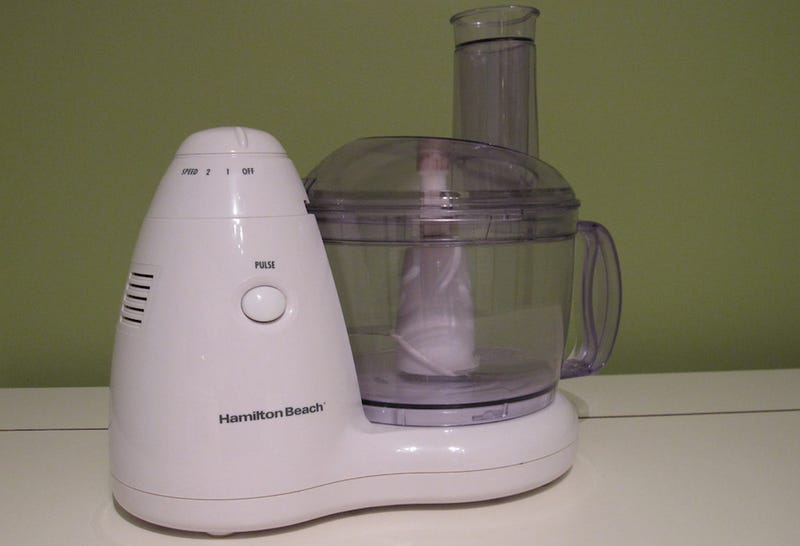
It’s really tough to understate how much good a food processor in your kitchen can do. Sure, you could always just grab a knife and get to chopping, slicing, and julienning, but a food processor can do so much more than cut up vegetables. A solid one can mix dough, make deliciously smooth pesto or hummus, and emulsify salad dressing in a snap. Want to get adventurous? Try making pizza dough, home-ground burger patties, or even perfect whipped cream.
http://skillet.lifehacker.com/kitchen-tool-s…
You can get some inspiration for what to do with your own food processor—or some good reasons to consider buying one—in our Kitchen Tool School feature on them. Trust me, I only have a small, space-saving model, and I use it for hummus, pesto, and deviled eggs all the time, and couldn’t imagine not owning one.
9. A Slow Cooker
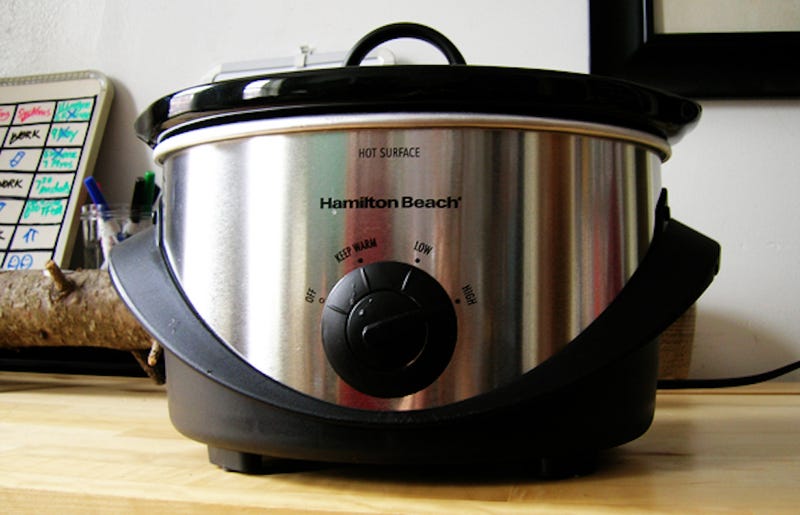
You don’t have to spend a lot of money to get a good slow cooker, but you don’t want to cheap out on them either. A solid midrange one that gets just hot enough and can maintain its heat over time will let you cook all sorts of amazing things, from whole chickens, delicious slow-cooked ribs, and even delicious dips, all with little to no effort at all. Want something sweet? That piece even has recipes for overnight oatmeal or cheesecake—all in a slow cooker.
http://lifehacker.com/delicious-dish…
Best of all, you can make virtually any recipe a slow-cooker recipe with some simple tweaking, so you can have your delicious gourmet meal without the time standing over the stove or heating up your home using your oven. Besides, there’s nothing like coming home to a delicious, hot meal waiting for you—you’ll save time cooking, and save the money you’d spend ordering out after a long day.
http://lifehacker.com/make-almost-an…
8. A Pressure Cooker

Pressure cookers are invaluable kitchen appliances, and they’ve come a long way from the old “careful it doesn’t explode” variety that our parents and grandparents had. They’re safer than ever, more functional than ever, and besides, who doesn’t love the idea of a super-simple fondue or cheese dip, a whole roast chicken, 30-minute chicken broth, or even delicious fresh bread, all without firing up the oven?
http://lifehacker.com/5954077/why-yo…
Best of all, pressure cookers don’t have to be terribly expensive, and some of them can even pull double duty as slow cookers and rice cookers, like the ever-handy Instant Pot.
http://lifehacker.com/how-i-conquere…
7. An Immersion Circulator (aka, a Sous Vide)
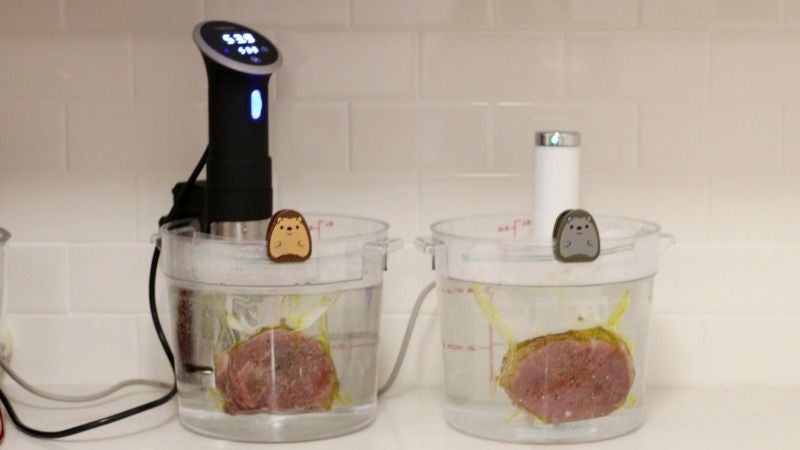
Immersion circulators, or sous vide machines, can definitely be pricey. Some of our favorites are around $200, and while you don’t need a sous vide machine, and our Sous Vide 101 feature was all about me using a cooler to cook steaks, if you do decide to invest in one, you can get some huge benefits.
http://lifehacker.com/5868685/sous-v…
Once you have one, the tastiest burgers you’ve ever had are just a few minutes away, as are deliciously perfect steaks, the eggs—soft or hard boiled—of your dreams, and even your very own marijuana edibles, made at home, where it’s legal of course. Lay down the entrance fee now, and you’ll be paid back a thousandfold in deliciousness, effortless cooking, and of course, some really ingenious recipes.
http://skillet.lifehacker.com/sous-vide-show…
6. A Good Thermometer
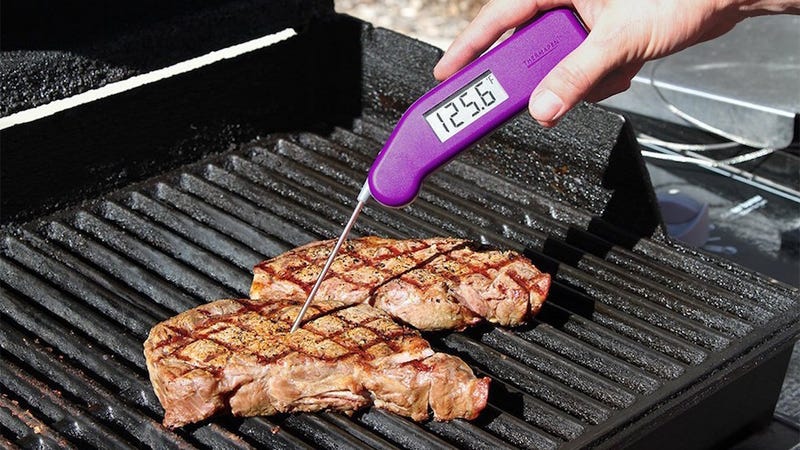
A cooking thermometer is a must in any kitchen, and will mean the difference between haphazardly poking meat thinking your fingers or your face can tell if they’re done (neither of which are universally accurate) and actually knowing that it’s the perfect temperature and texture. Heck, a good thermometer will even help you make perfect cocktails.
http://lifehacker.com/the-poke-test-…
I’m a big fan of Thermoworks’ Thermapen (as is the always-amazing Alton Brown,) as I’ve mentioned before, but if you don’t want to spend the money, there are other models that are equally sensitive for less money, like the Thermoworks ThermoPop.
http://lifehacker.com/the-thermapen-…
5. A Quality Blender

Most of us have a blender in our kitchens, but when you bought yours, what did you look for when you picked it up? The wattage of the motor maybe, or the size of the carafe? A good one will excel in both of those departments sure, with a strong motor and a large carafe that’s big enough for what you want to put into it, but there’s so much more to consider.
http://gear.kinja.com/five-best-blen…
While you don’t need to blow out your budget on a Blendtec or something extremely pricey, you should at least buy carefully, and spend a little on something that’ll do multiple jobs and last you a long time. Our friends at Kinja Co-Op have some suggestions here, along with some affordable options if their top tier gives you sticker shock. Go forth and smoothie, soup, and emulsify without fear.
http://gear.kinja.com/whats-your-fav…
4. A Bench Scraper or Pastry Cutter
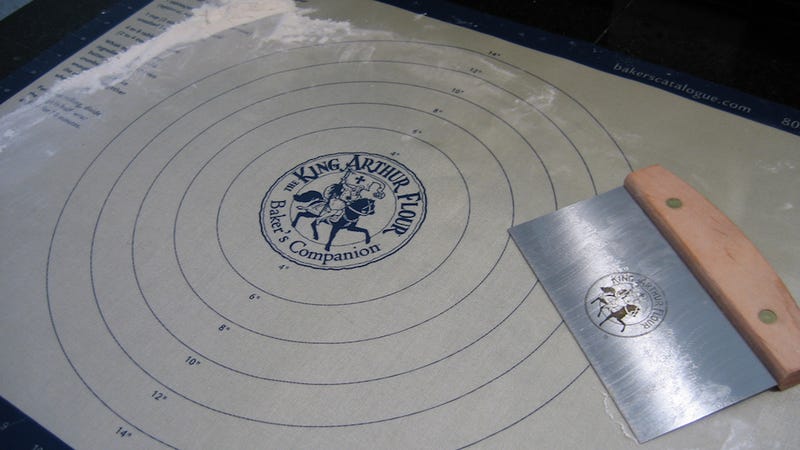
While a lot of the items we’ve mentioned so far can be expensive, the humble bench scraper doesn’t have to be—it’s just not nearly as common in home kitchens as it really, really should be.
http://skillet.lifehacker.com/kitchen-tool-s…
After all, at most a good one will set you back a mere ten bucks, with servicable options close to half that price, and once you have one, you’ll never beat up your knives trying to scrape the last bit of anything off of a cutting board again, you’ll never have trouble dividing dough or bread or ground meat for burgers again, you’ll never have trouble getting clean sides on a frosted cake again, and you’ll always have a tool to help you clean up countertops before, during, and after cooking. Seriously, get one of these, it’ll change your life.
3. A Mandoline
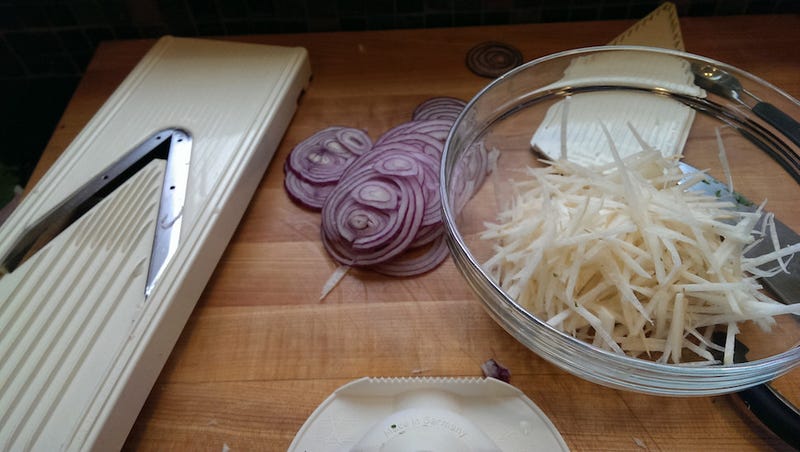
The mandoline is super useful, and can give you perfectly julienned vegetables in no time, easy vegetable noodles without having to buy and store a massive spiralizer, and more. In fact, in an interview with Mark Bittman, he told us that the mandoline was one of his favorite workhorse kitchen tools.
http://lifehacker.com/5661941/mark-b…
Of course, a mandoline can definitely be a dangerous tool if you don’t know how to use one, but the basics are pretty simple: Go slow, and use the handguard.
http://lifehacker.com/four-tips-for-…
2. Good Cast Iron Pans
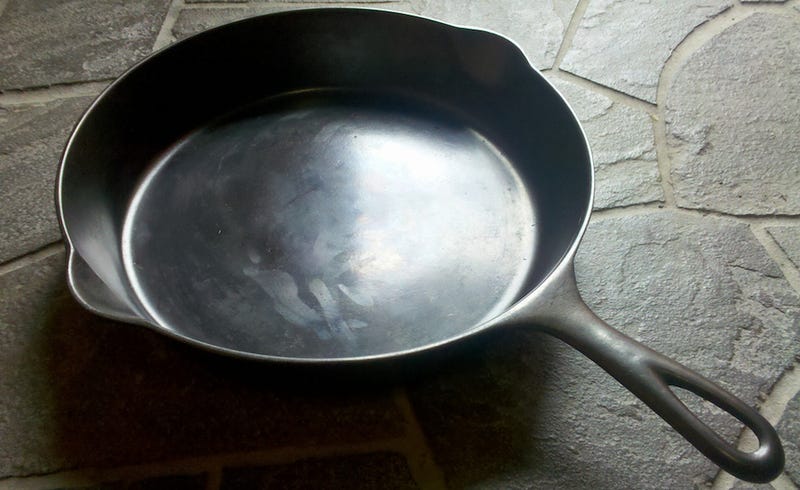
Ah, cast iron. Cast iron cookware is essential in any home kitchen, and once you get used to them and get your favorite one well seasoned, it’s possible you’ll never use anything but cast iron for just about anything you want to cook. They don’t have to be expensive, either—maybe you need a couple of cast iron skillets and buy them new, pre-seasoned. Maybe you get some hand-me-downs from a family member or a thrift store bargain that needs to be re-seasoned, and can last the test of time. That’s the beauty of cast iron—buy it once, and as long as you care for it, it’ll last you forever.
http://skillet.lifehacker.com/kitchen-tool-s…
Most people also assume cast iron pans are only good for steaks and meat—and while they’re absolutely great for those things, they’re also useful for a wide array of other amazing dishes, from pizza to queso fundido. Even if you don’t want to make skillet pizza, you can use your cast iron as a pizza stone. Not enough? Grill fish in minutes, roast a whole chicken, even roast your own coffee beans. Need we continue?
http://skillet.lifehacker.com/five-delicious…
1. A Good Chef’s Knife
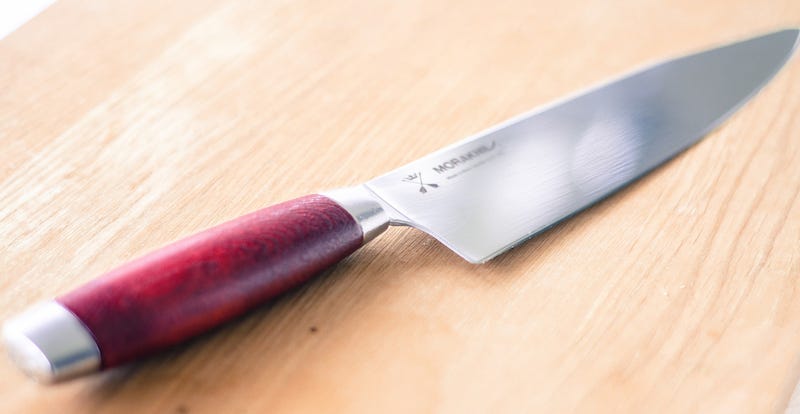
Most of you likely already know that a good chef’s knife can make a huge difference in your cooking. A solid blade that you’re comfortable using can make cooking easier, and a lot more fun. What you may not know is that investing in a good knife makes a huge difference too—and we’re not talking about spending hundreds (although you could certainly do that), just a few more than whatever came in that knife set you really shouldn’t have bought when you moved out on your own.
http://lifehacker.com/5897045/budget…
Even some affordable models are budget upgrades that will transform the way you cook, as long as you know what to look for. Think about how you cook, choose between carbon steel or stainless, learn to keep them sharp (because as you may have heard, dull knives are more dangerous in the kitchen) preferably with a water stone, and even an affordable chef’s knife will be an investment that lasts you years and years.
http://lifehacker.com/dont-buy-expen…
Illustration by . Additional photos by Warren Layton, pseph, The Homesteading Hippy, Claire Lower, Chris Hunkeler, Mike McCune, Kevin Purdy, Bruce, and Erik Forsberg.
Lifehacker’s Weekend Roundup gathers our best guides, explainers, and other posts on a certain subject so you can tackle big projects with ease. For more, check out our Weekend Roundup and Top 10 tags.
from Lifehacker
Resolution

In June 1918, frustrated novelist Sherwood Anderson sent this letter to his day job at a Chicago advertising agency:
Dear Barton:
You have a man in your employ that I have thought for a long time should be fired. I refer to Sherwood Anderson. He is a fellow of a good deal of ability but for a long time I have been convinced that his heart is not in his work. There is no question but that this man Anderson has in some ways been an ornament to our organization. His hair, for one thing, being long and mussy gives an artistic carelessness to his personal appearance that somewhat impresses such men as Frank Lloyd Wright and Mr. Curtiniez of Kalamazoo when they come into the office. But Anderson is not really productive, as I have said, his heart is not in his work. I think he should be fired, and if you will not do the job, I should like permission to fire him myself. I, therefore, suggest that Anderson be asked to sever his connections with the company on August 1st. He is a nice fellow. We will let him down easy, but let’s can him.
Respectfully submitted,
Sherwood Anderson
He published Winesburg, Ohio the following year.
from Futility Closet
The Luke Cage Playlist

Netflix’s latest Marvel show Luke Cage just dropped and its already a hit. Among the many reasons it’s receiving praise is its killer soundtrack. Very mild spoilers follow.
Music is woven into the very heart of Luke Cage. Each episode title is a reference to a track from East Coast hip hop duo Gang Starr. Several episodes include stage performances intertwined with the episodes themselves, featuring legendary talent like funk/soul singer Charles Bradley, and R&B musician Raphael Saadiq.
One of the most defining musical moments, though, is when Luke Cage encounters Wu-Tang Clan member Method Man (yes, the real one) in a convenience store, while preventing a robbery. Afterwards, Method Man dedicates his new single Bulletproof Love to Luke. That track kicks off the below playlist, curated by Marvel itself, packed with the kind of musical talent that gives Luke Cage the artistic heart at the show’s core.
Welcome to our Featured Playlist series. Each week, we’ll share a new themed playlist, embedded for your convenience! You can copy the track list to your service of choice, or listen right here. Have a sweet playlist of your own? Share it with us in the comments below!
Photo by Fett.
from Lifehacker
The Greatest Punk Hits Playlist

When life sucks and all you can do is scream, punk music is there for you. To give you an outlet, this playlist features some of the best music to come out of the punk genre.
This playlist, curated by Spotify, features music from punk bands from Bad Religion, Dropkick Murphys, Green Day, Ramones, Buzzcocks, and tons of other pillars of punk music. It’s the perfect compilation to put on when you’re angry, you feel helpless, and you need to scream. Or if you simply live in 2016.
Welcome to our Featured Playlist series. Each week, we’ll share a new themed playlist, embedded for your convenience! You can copy the track list to your service of choice, or listen right here. Have a sweet playlist of your own? Share it with us in the comments below!
Photo by Sandra Druschke.
from Lifehacker
Whip Up Some Dairy-Free, Vegan Ice Cream With Coconut Milk
If you’re craving a creamy frozen treat, but dairy isn’t part of your diet, you’re in luck. You can make your own vegan-friendly ice cream with some coconut milk.
Before you get started, you’ll need some coconut milk (about 28 oz), some corn starch (2 Tbsp), sugar (1/2 cup), vanilla extract (1 1/2 tsp) and a little salt (1/4 tsp). Then, as the The Kitchn’s video explains above, start by separating the coconut milk into two containers—one with three cups, the other with a half cup. Add the corn starch to the half cup of coconut milk, whisk it together, then set it aside. Now heat the three cups of coconut milk over low-medium heat, add the sugar and salt, and stir. Once the sugar dissolves, add the corn starch mixture and heat until it thickens (but don’t let it boil). You’ll know it’s ready when it can evenly coat a wooden spoon. When it has thickened up, drop in some vanilla extract, stir it in, then set the mixture in your refrigerator overnight. The next day, churn it up in an ice cream maker or mixer, then let it freeze for a few more hours before eating.
http://lifehacker.com/make-dairy-fre…
Make Dairy-Free Ice Cream, Vegan Style | YouTube
from Lifehacker
This Is Ground's Mod Series is the Ultimate Fusion of Leather and Tech
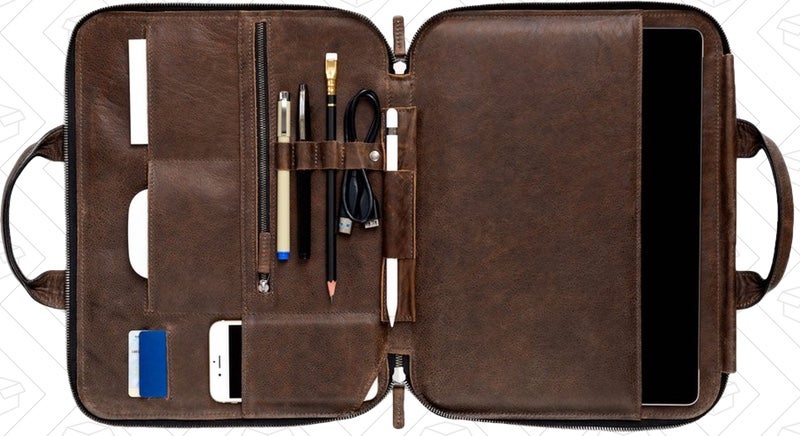
In the market of beautiful, modern, intelligent leather accessories to complement your EDC, This Is Ground is untouchable, but demands your touch. I’ve lusted after their Mod series, a briefcase and messenger bag-disrupting line of tricked out leather pouches that hold your laptop or tablet and lots more, for years.
http://gear.lifehacker.com/the-tsa-friend…
There are several options when choosing your Mod, but you’re picking the option that fits your device, not the specific set of internal storage spaces you like the most. Their latest model, the Mod Pro, accommodates the iPad Pro, and more importantly, my 12" MacBook. The Pro also adds a welcome handle.
And the storage options don’t stop there. The Mod line features a magnetic rail compatible with a variety of expansion inserts, for everyone from photographers to sketch artists.

The Mod series also includes a Tile so you can track it down when you lose it (god forbid!), and microfiber lining to clean your tablet screens.
https://www.amazon.com/Tile-Gen-Phone…
The Mod series isn’t the only drool-worthy way to carry your MacBook, and certainly not the cheapest, but it is the most functional, and just so, so beautiful.
http://gear.lifehacker.com/mujjo-made-the…
Commerce Content is independent of Editorial and Advertising, and if you buy something through our posts, we may get a small share of the sale. Click here to learn more, and don’t forget to sign up for our email newsletter. We want your feedback.
from Lifehacker
Crafting with Feminism: 25 Girl-Powered Projects to Smash the Patriarchy

Today sees the publication of Bonnie Burton’s (previously) long-awaited new book, Crafting with Feminism: 25 Girl-Powered Projects to Smash the Patriarchy.
(more…)
from Boing Boing
Atheist shoes experience a miraculous transformation

Atheist Shoes (previously), the stylish German shoes whose souls soles bear atheist messages ("Ich Bin Atheist") are getting ready to relaunch with a tweaked new design called DAS SNEAKER, which sports more cushioning and thinner soles for greater flexibility, as well as a retro turn-up toe.
(more…)
from Boing Boing
Handle for Gmail Brings Your Email, To-Dos, and Calendar Together
Chrome/iOS: Handle is the productivity add-on that Google should have made. It seamlessly combines emails, to-do lists, and calendars to make Gmail your central productivity hub.
Handle might even make Google Inbox converts switch back to good old Gmail. It’s the best implementation of a to-do list in the Gmail inbox that I’ve seen so far. Here’s a quick summary of just some of its many abilities:
- Type “T” to turn the email you’re reading into a to-do list item. All the information from the email will be automatically copied into the to-do.
- Add a reminder, a due date, or notes to any to-do item in your list. You can also assign it to a project to keep track of it. Reminders work with Google’s spoken language operatives, like “tomorrow” or “at 5pm.” You can also create reminders based on location.
- Handle also has a built-in calendar for your projects and to-dos, which syncs with your Google calendars.
- The app has two display modes. Fullscreen mode lets you see your to-dos with your Handle calendar. Sidebar mode shows your to-dos next to your inbox, which is invaluable while sorting your inbox.
- Click the Handle icon in the Chrome toolbar to create a new to-do at any point.
Handle is completely free right now, and even has an iOS app to manage your tasks on the move. But the Gmail extension is where it really shines.
Handle for Gmail (Free) | Chrome Web Store
Handle for iOS (Free) | iTunes App Store
from Lifehacker